
Airtable Omni & field agents
Airtable has two AI pieces: Omni, a chat assistant that builds and changes the app, and field agents, AI columns that fill in a value for each record and can rerun when inputs change.
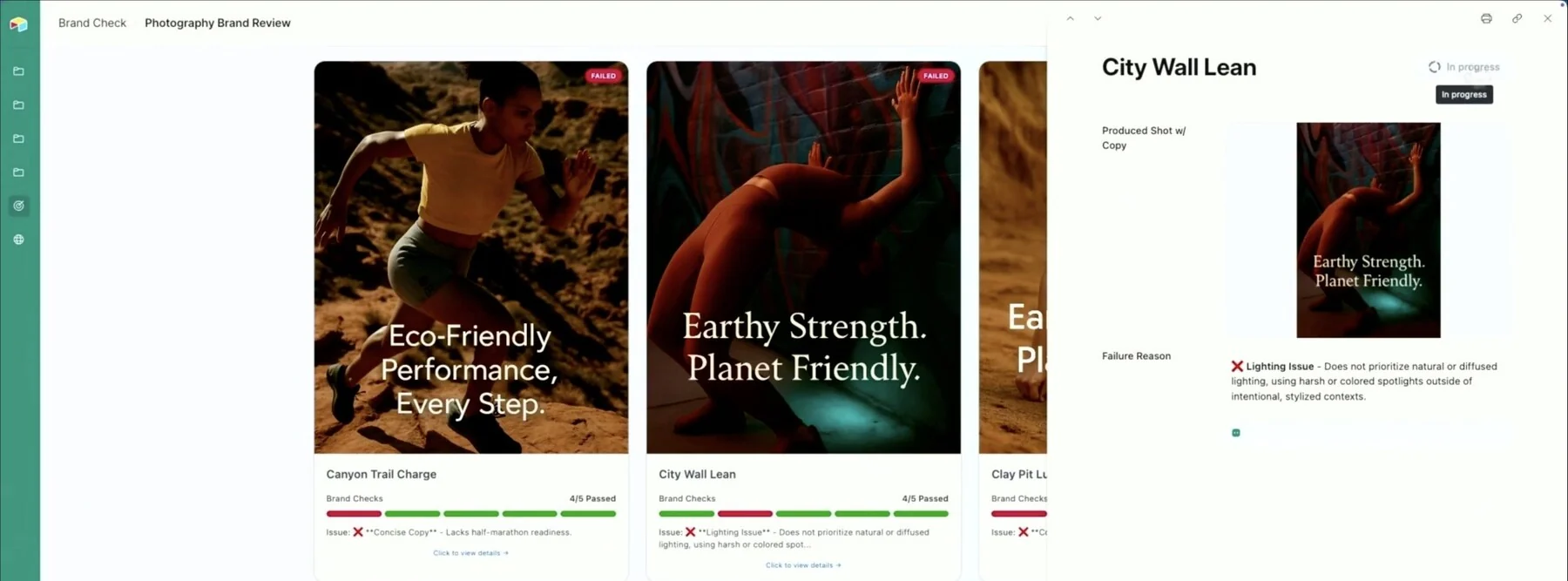
The lesson for builders
Creating an AI field approves every future value the field will produce. Review the trigger, the inputs and who can see the output, not just the first answer.
What Airtable Omni & field agents can do, and where it stops#
Can do
- Build apps and change records through chat (Omni), within the permissions of the person asking.
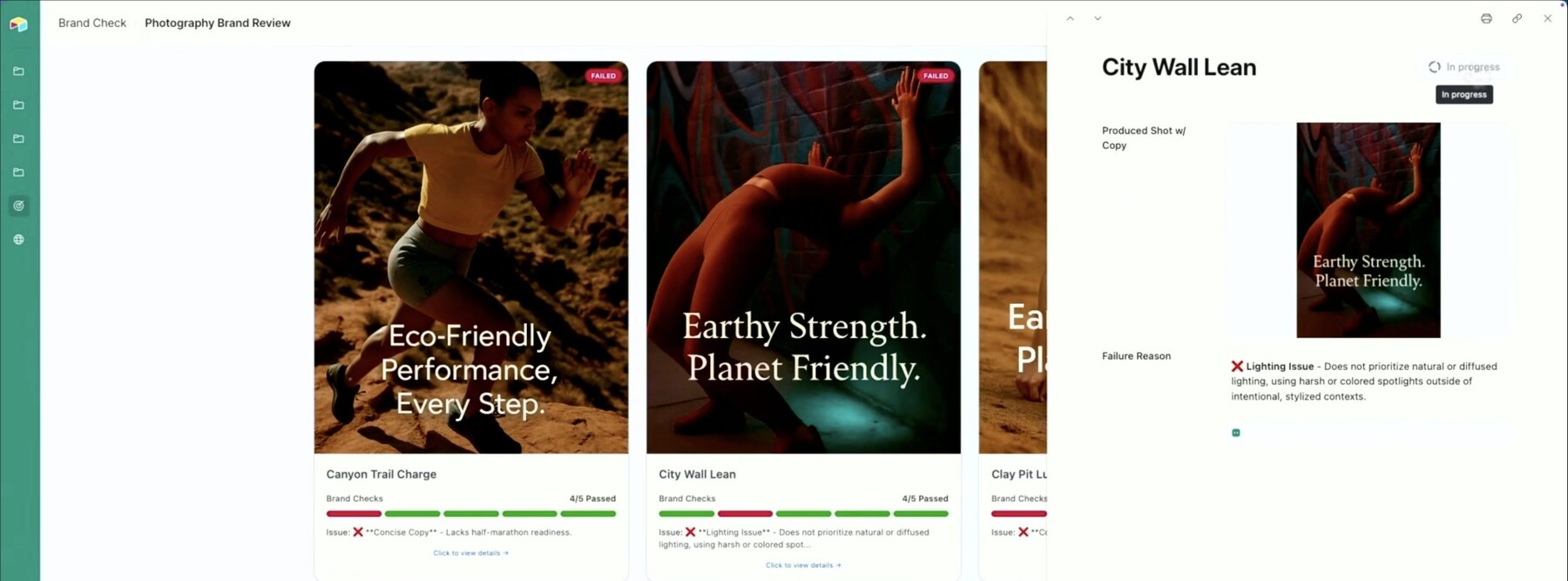
- Fill in a value for every record, like a category or a pass/fail review with a reason (field agents).
- Rerun when a record’s input values change; the new values can set off other changes downstream.
- Build apps and agents with Omni for free. Running AI work uses credits.
Where Airtable Omni & field agents stops
- Field agents read sources at a point in time and don’t keep watching a web page for changes.
- Omni’s help page contradicts itself on whether Omni can create views and forms.
How Airtable Omni & field agents handles one request#
The same four steps for every product on this site.
Step 1: A person asks, or the agent notices
A person describes a goal to Omni in chat, and Omni builds the app or a field. Field agents then run on their own when a record’s inputs change.
Step 2: The agent prepares a change
Omni creates fields and changes records within the requester’s permissions. Field agents generate a value for each record, like a category or a pass/fail result with a reason.
Step 3: The person reviews the change in the product’s own screen
Results show up as ordinary data, such as a pass/fail result with the reason attached. Bulk commands can rerun only cells that are outdated or have errors.
Step 4: The product saves the change and keeps a way back
Values go straight into the field and can set off other changes. With automatic long-text generation, cells a person edited are kept; Omni’s Undo covers one response, and how far that reaches into field runs isn’t documented.
Worth copying#
What Airtable Omni & field agents gets right, with the source for each.
In an AI long-text field set to generate automatically, Airtable never overwrites cells a person edited, and asks before regenerating existing records when the prompt changes.
Airtable tracks which cells the agent modified and which are outdated or have errors, and a bulk run can target just one of those groups.
Gaps#
What Airtable Omni & field agents’s public docs don’t show yet.
An AI field’s output can show values from source fields that are hidden from the interface collaborators who see the output.
Omni’s Undo covers one response. How far Undo reaches into field runs, downstream automations or outside effects isn’t documented.
The finding
Creating an AI field approves every future value#
Omni, Airtable’s chat assistant, can build a field from a plain request like “Help our team classify incoming feedback.” The person reviewing the first answer is approving more than one answer. A field agent generates a value for every record. With Run automatically on, the agent runs again whenever its input values change, and Airtable warns that fields, formulas or automations reading the output can set off many more changes in the base.
So the real question isn’t whether the first answer looks right. The question is whether the rule should keep producing values as the data underneath changes. A plain-language build request can create standing behavior.
Airtable does protect one kind of human work. In an AI long-text field set to generate automatically, Airtable never overwrites a cell a person edited, and changing the prompt asks before regenerating existing records. A teammate’s correction is more than a value waiting to be replaced.
The same column can then hold values from an older prompt, values from the current prompt, and values a person maintains. A filled cell doesn’t say which. Airtable does track cells that are outdated or have errors, and a bulk run can target just those.
The audience matters as much as the trigger. Airtable warns that an AI field’s output can show values from source fields that are hidden from interface collaborators. A prompt telling the model to leave something out isn’t the same as keeping that field out of the inputs.
For builders: the review screen for an AI field should show what the field reads, when the field reruns, what reads the field’s output and who can see the result, before the first value is written.
Sources#
- Using Airtable AI in fieldssupport.airtable.com
- Using Omni AI in Airtablesupport.airtable.com
- Airtable LA product showcase (June 27, 2025)airtable.com
Sources checked September 28, 2026.

Notion has two kinds of agent: a personal Agent that works with the person’s own access, and Custom Agents that have their own permissions and can run on schedules or when something changes.