
Asana AI Teammates
Asana’s AI Teammates are agents a person assigns tasks to, like a colleague. Teammates work inside tasks, can run recurring checks, and post results where the task’s collaborators can see them.
The lesson for builders
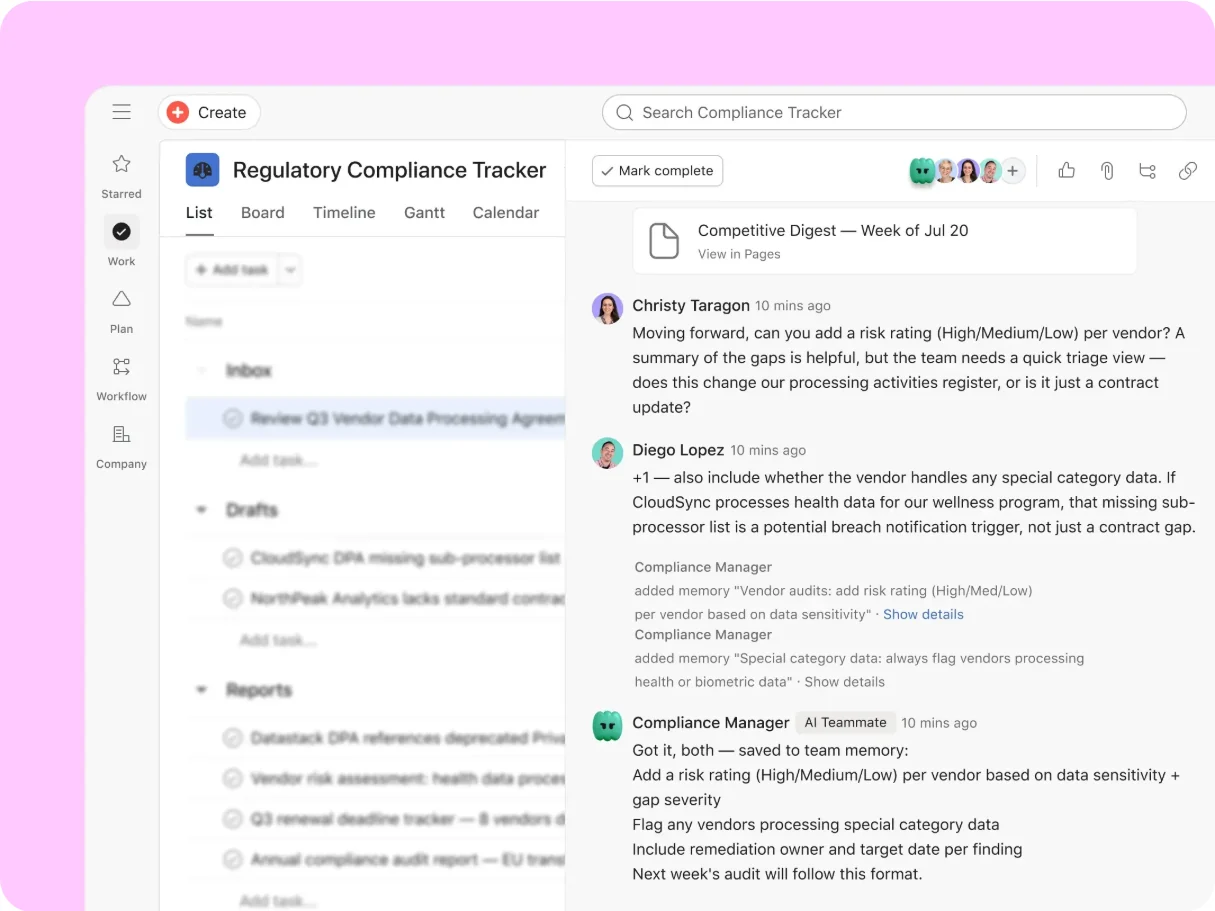
Who can read the sources and who will read the answer are two different questions. The agent may be allowed to read a source, but the reply lands where more people can see it.
What Asana AI Teammates can do, and where it stops#
Can do
- Take an assigned task, use the Teammate’s configured skills and the task’s context, and post a contribution for people to review.
- Answer using information both the requester and the Teammate can access, seeing public work by default and needing membership for private work.
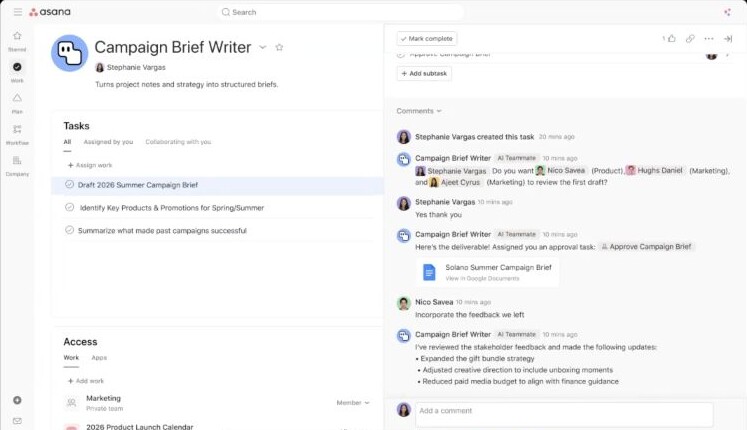
- Use connected apps, for example to create a Google document. By default, reads are allowed and writes and deletes need approval.
- Keep memories linked to tasks, and forget them when removed from that task or project.
Where Asana AI Teammates stops
- A Teammate’s comments are visible to everyone on the task, including people who can’t see the sources.
- App connections belong to each user, so the same Teammate can do different things for different people.
- Forgetting a memory isn’t documented as removing comments or documents the Teammate already created.
How Asana AI Teammates handles one request#
The same four steps for every product on this site.
Step 1: A person asks, or the agent notices
A person assigns a task to an AI Teammate, like assigning a colleague. A Teammate can also run a recurring task, such as Asana’s Launch Planner checking launch timelines.
Step 2: The agent prepares a change
The Teammate works inside the task and posts a contribution, like a comment or a linked Google document, using information both the requester and the Teammate can access.
Step 3: The person reviews the change in the product’s own screen
People review the result on the task and reply with guidance. In connected apps, writes and deletes need approval by default, and some changes that widen who can see a task also need approval.
Step 4: The product saves the change and keeps a way back
Approved app actions run through the requester’s own connection, and a declined action is skipped. Stopping work in progress, undoing a write, and preventing duplicates on retry aren’t documented.
Worth copying#
What Asana AI Teammates gets right, with the source for each.
In connected apps, read actions are always allowed by default and write or delete actions need approval. A newly added write action also asks first instead of running on its own.
A Teammate using a connected app acts with the triggering user’s access, and access is never shared between users.
Asana’s Launch Planner Teammate runs a recurring monitoring task, and proposes specific actions when a launch is at risk. The team reviews the proposal before the work changes.
Gaps#
What Asana AI Teammates’s public docs don’t show yet.
Not documented: which version runs if the source task changes while an app write waits for approval.
Stopping work in progress, undoing a write and preventing duplicates on a retry aren’t documented. Disconnecting an app is a settings change, not a stop button.
The finding
The reply lands where more people can see it#
An Asana AI Teammate answers using only information that both the Teammate and the person who asked can access. Asana’s access guide says a new Teammate sees public work in the domain and must be added to private tasks and projects, and the Teammate can’t reveal anything the requester couldn’t already view.
Then the Teammate posts the answer as a comment on the task. The same guide warns that Teammate comments are visible to everyone with access to that task, and asks the requester to consider whether that audience is right before triggering a request. The people on the task may include someone who can’t open the sources the answer came from.
Two decisions hide in one request. The first is about source access: may the requester and the Teammate read these tasks? The second is about the audience of the result: who will read the comment? Passing the first check doesn’t settle the second. A summary of a private planning task can land in a task a wider group follows.
Asana does gate some audience changes. The guide ties approvals to new visibility, such as assigning a task to someone who would gain access or adding collaborators. The policy is conditional, and adding a task to a project is documented as a temporary bypass.
Memory raises the same question later. A Teammate forgets task-linked memories when removed from the task or project, but forgetting a memory isn’t documented as removing comments or documents the Teammate already posted.
For builders: check the output’s audience separately from the input’s access, and flag a post whose audience is wider than its sources’.
Sources#
- Connect and manage apps for AI Teammates and Dashhelp.asana.com
Sources checked September 28, 2026.

Fin is Intercom’s customer-service agent.