
HubSpot Customer Agent
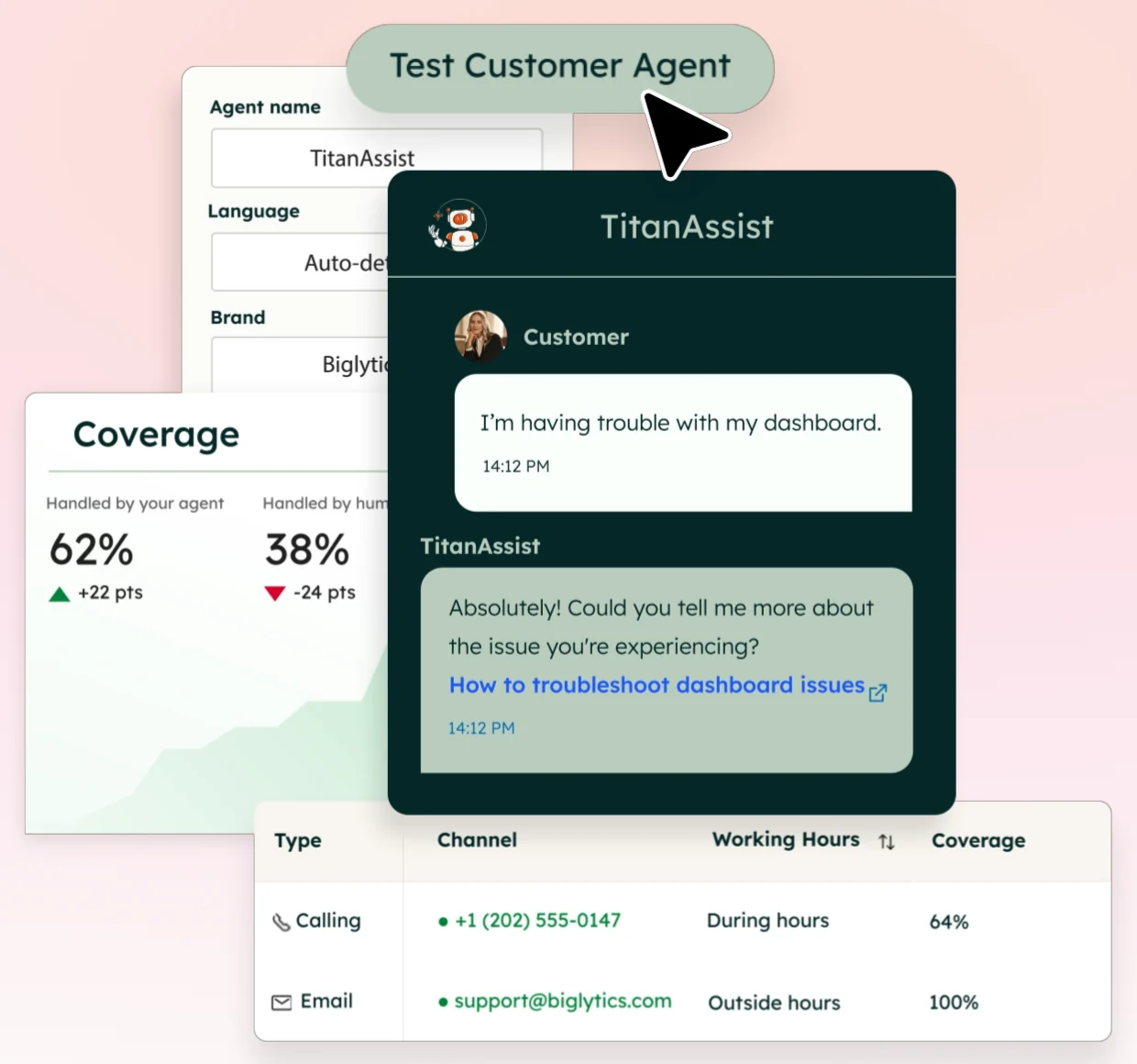
HubSpot’s Customer Agent answers customers from the team’s knowledge base, can read and update their CRM record, can call the team’s own systems, and hands off to the support team.
The lesson for builders
Name each control for exactly what it does. A property grant isn’t blanket CRM access, a published action isn’t approval of each call, and “resolved” is a rule with a 72-hour window, not proof the problem is solved.
What HubSpot Customer Agent can do, and where it stops#
Can do
- View or edit up to ten contact properties, each with an identity check: match the customer’s email, or verify the email with a link.
- Call the team’s own APIs through configured actions, with a protection level of None, Match email, or Verify email.
- Hand off live or later to a team or workflow, keeping a summary and the handoff reason on the ticket.
- Suggest replies in the ticket thread for a support rep to edit, send, or dismiss (reply recommendations).
Where HubSpot Customer Agent stops
- Handing off to a team doesn’t check whether anyone is available, and some routes leave the conversation with no owner.
- Content from private sources can show up in replies even though those sources aren’t cited.
How HubSpot Customer Agent handles one request#
The same four steps for every product on this site.
Step 1: A person asks, or the agent notices
A customer starts a chat or email conversation, and the agent answers from the knowledge sources the team chose. Workflow rules can also assign conversations to the agent.
Step 2: The agent prepares a change
The agent can prepare a change to up to ten contact properties the admin allowed, or call a configured action. Each action’s protection level is None, Match email, or Verify email.
Step 3: The person reviews the change in the product’s own screen
Human review before each CRM change or action isn’t documented; publishing an action approves the action for future use. Reply recommendations offer a human-reviewed mode, where a support rep edits, sends, or dismisses a suggested answer.
Step 4: The product saves the change and keeps a way back
The agent makes permitted changes itself, and HubSpot’s manual Undo for property changes excludes workflow, API, and connected-app changes. When the agent can’t finish, a handoff routes the conversation to a person.
Worth copying#
What HubSpot Customer Agent gets right, with the source for each.
The admin picks up to ten contact properties the agent may view or edit, each with its own identity check: match the email on file, or send a verification link.
Agent insights in the help desk show the knowledge sources the agent used, the actions the agent triggered, and any knowledge gaps.
Each flagged coaching opportunity shows why the conversation was flagged and leads straight to a fix: editing knowledge, adding an action or changing handoff guidelines.
Gaps#
What HubSpot Customer Agent’s public docs don’t show yet.
Human review before each CRM change or action isn’t documented. A custom action set to protection None runs without checking the visitor’s identity.
HubSpot’s manual Undo for property changes doesn’t cover changes made by workflows, the API or connected apps. Undoing the agent’s own changes isn’t documented.
The finding
“Resolved” means 72 hours after the visitor’s last reply#
HubSpot’s Customer Agent reports resolutions, and HubSpot defines the word precisely. A conversation counts as resolved when the agent shared a content source or performed an action, and no qualifying handoff to a human follows within 72 hours of the visitor’s last response. A lead marked as qualified, partly qualified or not qualified also counts. Reassigning the conversation by hand or by workflow doesn’t cancel a resolution, and feedback that arrives later doesn’t change a status already set.
The reporting guide adds two details. Human handoffs include manual transfers, so one conversation can count as both a handoff and a resolution. And a deflection can include a visitor who left without an answer; HubSpot says deflections don’t always mean resolution.
None of the rules makes the metric useless. “Resolved” is an operating rule with a time window and exclusions, not a check that the customer’s problem was solved. Comparing two periods needs the same channel, issue types, routing policy and observation window, with lead qualification counted apart from support.
The pattern worth borrowing is the rest of the product. HubSpot connects the agent to the systems a support team already runs: contacts, tickets, queues, knowledge sources and reports. An operator can open a flagged conversation, see the sources the agent used and the actions the agent triggered, and move straight to a coaching fix without leaving the help desk.
The lesson is to make each connection precise. A property grant is not blanket CRM authority. Verifying an email is not a preview. A published action is not approval of each call. A handoff routes the work but doesn’t roll anything back. A resolution label is not the whole customer outcome.
Sources#
- Understand the customer agentknowledge.hubspot.com
- Analyze customer agent’s performanceknowledge.hubspot.com
- Use agent insights to coach the customer agent in help deskknowledge.hubspot.com
- Use topics to analyze customer interactionsknowledge.hubspot.com
- Allow the customer agent to access and update CRM dataknowledge.hubspot.com
- Set up actions for the customer agentknowledge.hubspot.com
- Undo property value changesknowledge.hubspot.com
Sources checked September 28, 2026.

Agentforce Service is Salesforce’s customer-facing agent.