
Notion Agent
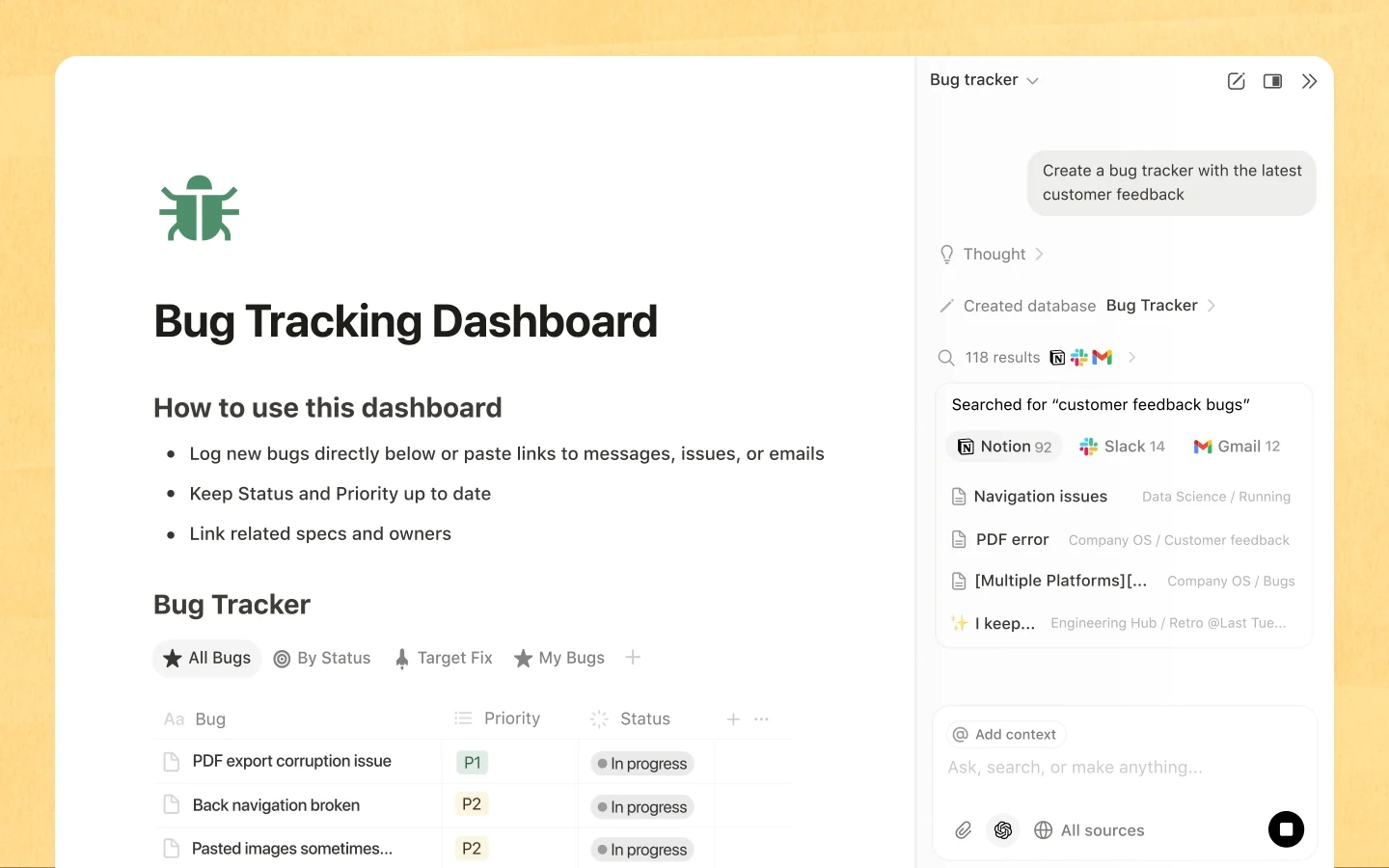
Notion has two kinds of agent: a personal Agent that works with the person’s own access, and Custom Agents that have their own permissions and can run on schedules or when something changes.
The lesson for builders
Sharing an agent shares what the agent can read. Before sharing, work out who can reach which pages through the agent, and how to take that access back.
What Notion Agent can do, and where it stops#
Can do
- Create and edit content in pages, using selected blocks or mentioned pages as context.
- Run Custom Agents on a schedule or when something happens in the workspace, for example to route requests or write weekly reports.
- Answer questions from documents the asker can’t open directly, if the agent was given access to those documents (Notion’s BudgetBot example).
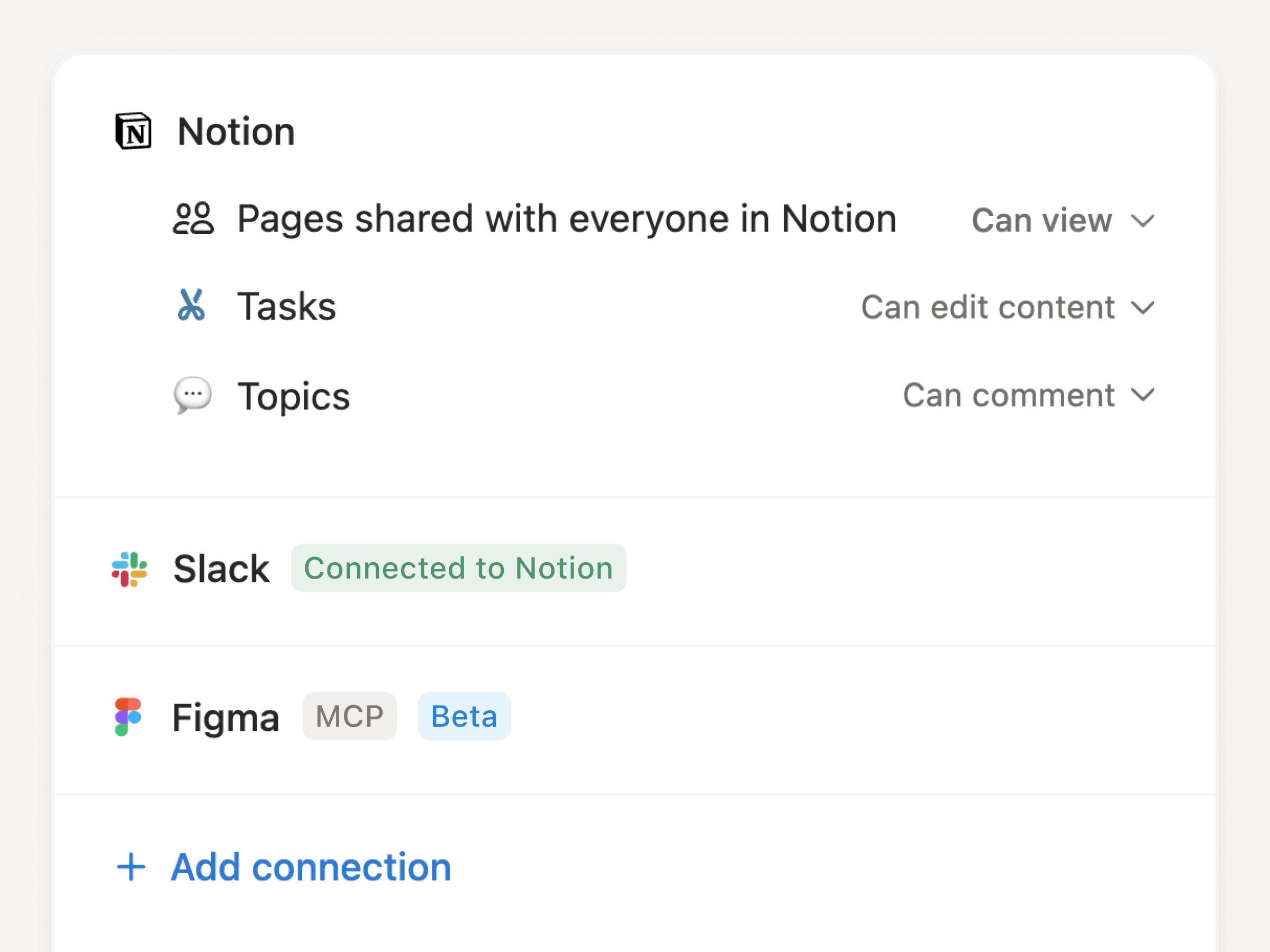
- Write to outside tools like Linear through MCP connections, showing the exact action and asking for confirmation by default.
Where Notion Agent stops
- Removing someone from a source page doesn’t cut off what that person can reach through a shared agent.
- Running only once per input isn’t documented, so the same input could create duplicate work.
- On mobile, people can chat and answer notifications, but creating agents and changing settings is desktop only.
How Notion Agent handles one request#
The same four steps for every product on this site.
Step 1: A person asks, or the agent notices
A person asks the personal Agent on the current page, selecting blocks or mentioning pages. Custom Agents can also start on a schedule or when something happens in the workspace.
Step 2: The agent prepares a change
The agent creates or edits content in Notion. For outside tools connected through MCP, the agent prepares a write, like a new Linear issue.
Step 3: The person reviews the change in the product’s own screen
By default, a write to an outside tool shows the exact action and waits for confirmation. People with view-and-interact access can approve or cancel, and the person who connected the tool can switch the tool to run automatically.
Step 4: The product saves the change and keeps a way back
Activity records each run’s trigger, actions, and failures. Pages keep version history and agent settings can be restored, but neither is documented as reversing a past run’s outside effects.
Worth copying#
What Notion Agent gets right, with the source for each.
Before a Custom Agent writes to an outside tool, Notion shows exactly what action the agent will take and asks for confirmation. Confirmation is the default for write actions.
Each Custom Agent has an Activity log that records what triggered each run, the actions taken, and any errors or failures.
The personal Agent focuses on the blocks a person selects, so the selection shows the scope of an edit before the agent starts.
Gaps#
What Notion Agent’s public docs don’t show yet.
Restoring an agent’s earlier settings isn’t documented as undoing the pages, issues or messages that past runs created.
Not documented: what runs if the input changes while an outside write waits for approval. The pending write could keep the old items, refresh them, or ask again.
The finding
Removing someone from a page doesn’t remove their access through BudgetBot#
Notion’s help page on Custom Agent permissions walks through an example called BudgetBot. The finance team gives the agent access to private pages: budget templates, approval workflows and spending guidelines. Department leads get permission to chat with BudgetBot. The leads can then ask for anything from quick summaries to full document content, without access to the finance pages themselves.
Notion also answers the obvious next question. When someone is removed from a private page a Custom Agent can read, the person loses direct access to the page. If the person can still use the agent, the person may still get information from that page through the agent. Closing the route means removing the page from the agent, or removing the person from the agent.
Notion built the feature this way on purpose. The personal Notion Agent works within the user’s own access. A Custom Agent has its own granted resources, and sharing the agent delegates those resources. Access through the agent can be exactly the point: a department lead asks which approval a purchase needs and gets an answer without hunting for the policy.
The risk sits in the decision before anyone asks a question. Every page granted to the agent becomes readable by everyone who can use the agent. A page that mixes general policy with confidential exceptions is a poor grant for BudgetBot. An instruction to answer only policy questions doesn’t make the confidential part unreachable.
For builders: sharing an agent is a permission change. The sharing screen should say who gains access to what through the agent, and taking access back shouldn’t require guessing which relationship to change.
Sources#
- Custom Agents sharing & permissionsnotion.com
- MCP connections for Custom Agentsnotion.com
- What are Custom Agents?notion.com
- Notion Agentnotion.com
Sources checked September 28, 2026.

Linear lets a person hand an issue to an AI agent while a person stays the assignee, so someone is always responsible for the result.