
Agentforce Service
Agentforce Service is Salesforce’s customer-facing agent. The agent can check who a customer is, act on the customer’s records (like creating a booking), and transfer the customer to a person.
The lesson for builders
Keep three questions apart: who the customer is, whose permissions run the action, and what proves the right record changed. Verifying the customer answers only the first.
What Agentforce Service can do, and where it stops#
Can do
- Verify a customer with an emailed code, then remember the verified customer ID.
- Fill an action’s customer field from that verified ID instead of from whatever the customer types.
- Require a confirmation step before an action runs, and restate booking details for the customer to confirm.
- Transfer the customer to a representative or queue through an Omni-Channel flow, passing along the conversation history.
Where Agentforce Service stops
- On messaging channels, the agent operates as a designated agent user, not as the customer, so builders must link the customer to the right records.
- Agent tests run only in sandboxes, use credits, and can change data.
How Agentforce Service handles one request#
The same four steps for every product on this site.
Step 1: A person asks, or the agent notices
A customer messages on a channel like Enhanced Chat, for example to book an experience. Protected actions require verifying the customer first with an emailed code.
Step 2: The agent prepares a change
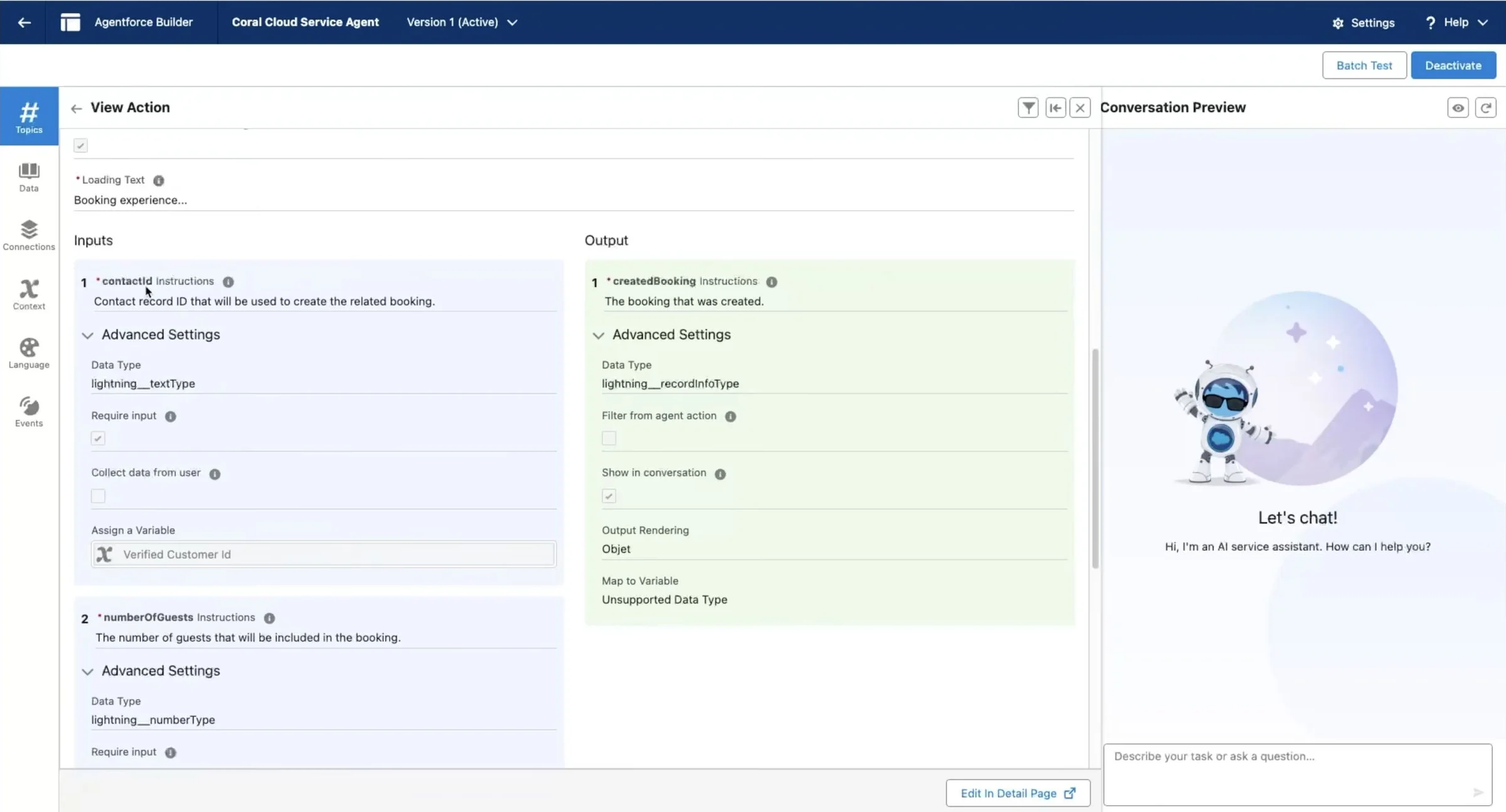
The agent collects details like the session and number of guests, and can fill the booking action’s customer field from the verified ID.
Step 3: The person reviews the change in the product’s own screen
The customer confirms the booking details before the action runs, and an action can require a platform-level confirmation step. In Salesforce’s recorded demo, the agent restates guests, date, and time.
Step 4: The product saves the change and keeps a way back
A Flow- or Apex-backed action creates the record on the contact. Cancelling or rolling back a committed booking isn’t documented.
Worth copying#
What Agentforce Service gets right, with the source for each.
The booking action takes the customer from the verified customer ID, not from what the customer types, so activities can be booked only for the verified customer.
An action can require a platform-level confirmation step before the action runs (`require_user_confirmation`), instead of relying on the agent’s instructions.
Agentforce observability keeps a time-ordered record of every processing step, with per-step timing and error text.
Gaps#
What Agentforce Service’s public docs don’t show yet.
A general way to cancel and roll back a committed action, like a booking, isn’t documented.
Deflection is scored by a model reading the session, not checked against the booking. Salesforce also fixed a bug that had counted timed-out sessions as deflected.
The finding
Verifying the customer doesn’t settle whose permissions run the action#
A customer tells a Service agent who they are. The agent verifies the customer, finds a booking and changes the booking. Three separate questions sit inside that exchange: who the customer is, whose permissions execute the action, and what shows the right record changed.
Verification answers the first. In Salesforce’s Coral Cloud sample, the agent emails a code, checks the code, and stores a verified customer ID. The booking action takes its customer field from that ID instead of from whatever the customer types, so a request naming someone else shouldn’t redirect the booking.
The second question has a different answer. Salesforce’s docs say agents on channels that aren’t limited to logged-in users, such as Messaging, operate in the context of an agent user: a Salesforce user record with the permissions the agent needs. The customer may have no Salesforce access at all. The agent user’s access isn’t the customer’s entitlement, so the builder has to connect the verified identity to the right records.
Execution context adds another layer. Salesforce’s Verify Customer action runs its flows with elevated system-context permissions, because the lookup happens before anyone is verified. For custom Apex actions, Salesforce recommends explicit sharing and user-mode data operations, and Flow’s debugging docs warn that system-context flows ignore the selected user’s object and field access. An action named “Create Booking” reveals none of this; the implementation behind the name does.
Salesforce’s newer customer-support example even ships a verification stub that lets any code pass, for trying the interface. A polished preview can demonstrate the conversation and prove nothing about identity.
For builders: write the authority map down, covering customer identity, agent user, action, execution mode and affected record. “Respects permissions” is too vague to stand in for the map.
Sources#
- Common User Access for Standard Agent Actionshelp.salesforce.com
- Secure Service Agents with Customer Verificationdeveloper.salesforce.com
- Multi-Surface: Build and Deploy an Enhanced Chat Agentdeveloper.salesforce.com
- Understand Agentforce Observability KPIs and Toolshelp.salesforce.com
- Verify Customerhelp.salesforce.com
- Best Practices for Building Agentforce Apex Actionsdeveloper.salesforce.com
- Multi-Surface: Customer Support Agentdeveloper.salesforce.com
Sources checked September 28, 2026.

Sidekick is the AI assistant in the Shopify admin.